

Panelitor: invite your designers to prepare your front panels
Your graphic designer, your agency or a colleague can now design your front panels in Panelitor with their own account, without knowing your password. You send the invitation, and you stay in charge of the order.
One account for each designer
The front panel of a device is often designed by someone other than the person who orders it. Until now, that meant sharing an account or e-mailing files back and forth. From now on, every registered account on Panelitor can invite up to 10 designers. Each of them gets their own access and works directly in your space: your designs, your images, your fonts.
Invite a designer in three steps
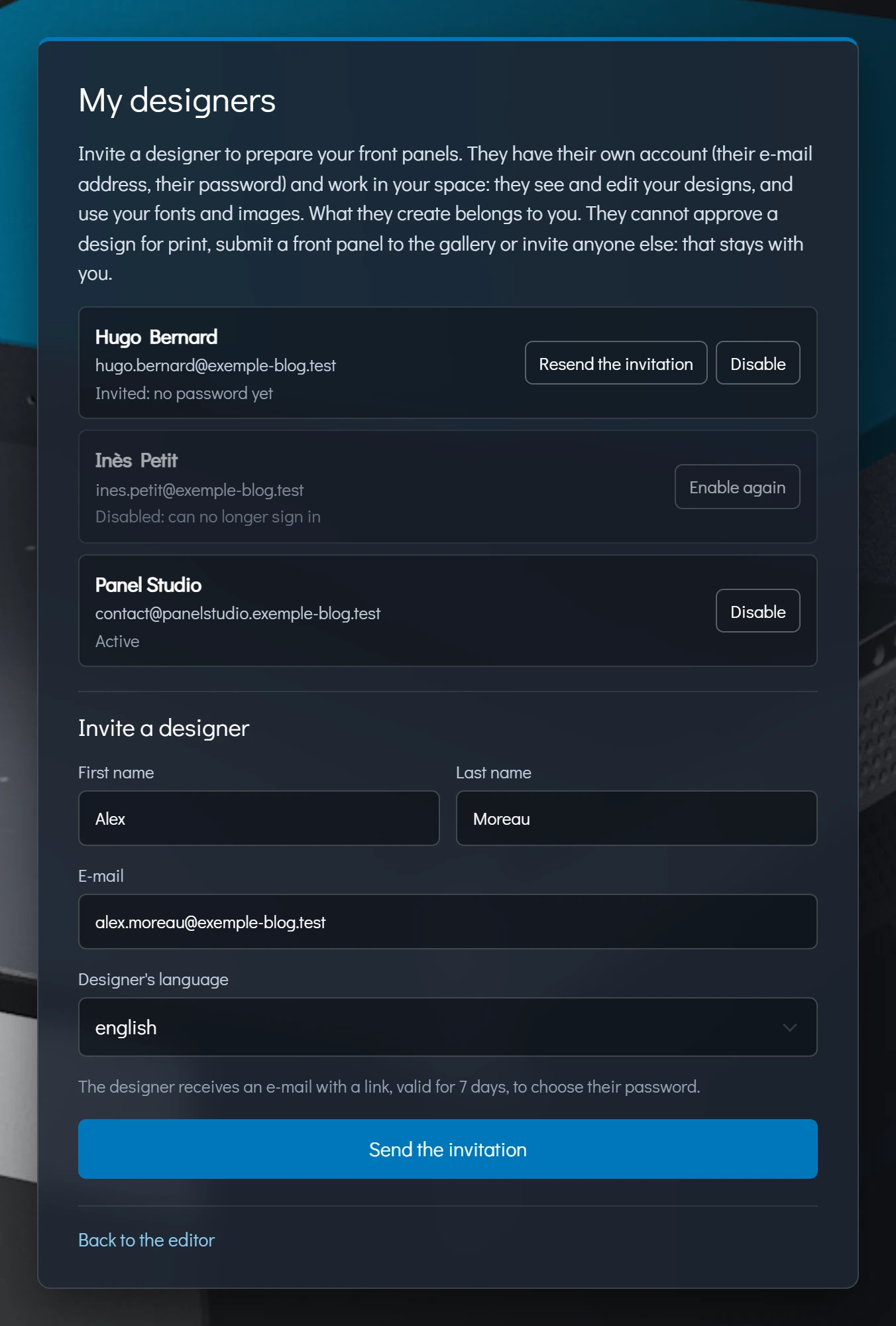
The My designers page: invited, active or disabled designers, and the invitation form. (click to enlarge)
Who does what
In the editor, a "Designer of" banner reminds the designer which account they are working for. The print approval, which starts production, and publishing to the gallery remain reserved for the account holder.

The Designer of banner, at the top of the editor. (click to enlarge)
From design to printed front panel
The designer steps in during the design phase; the rest stays the same. Rack Matrix links your designs to a job, only you give the print approval, and we print exactly the approved design before shipping it to you.
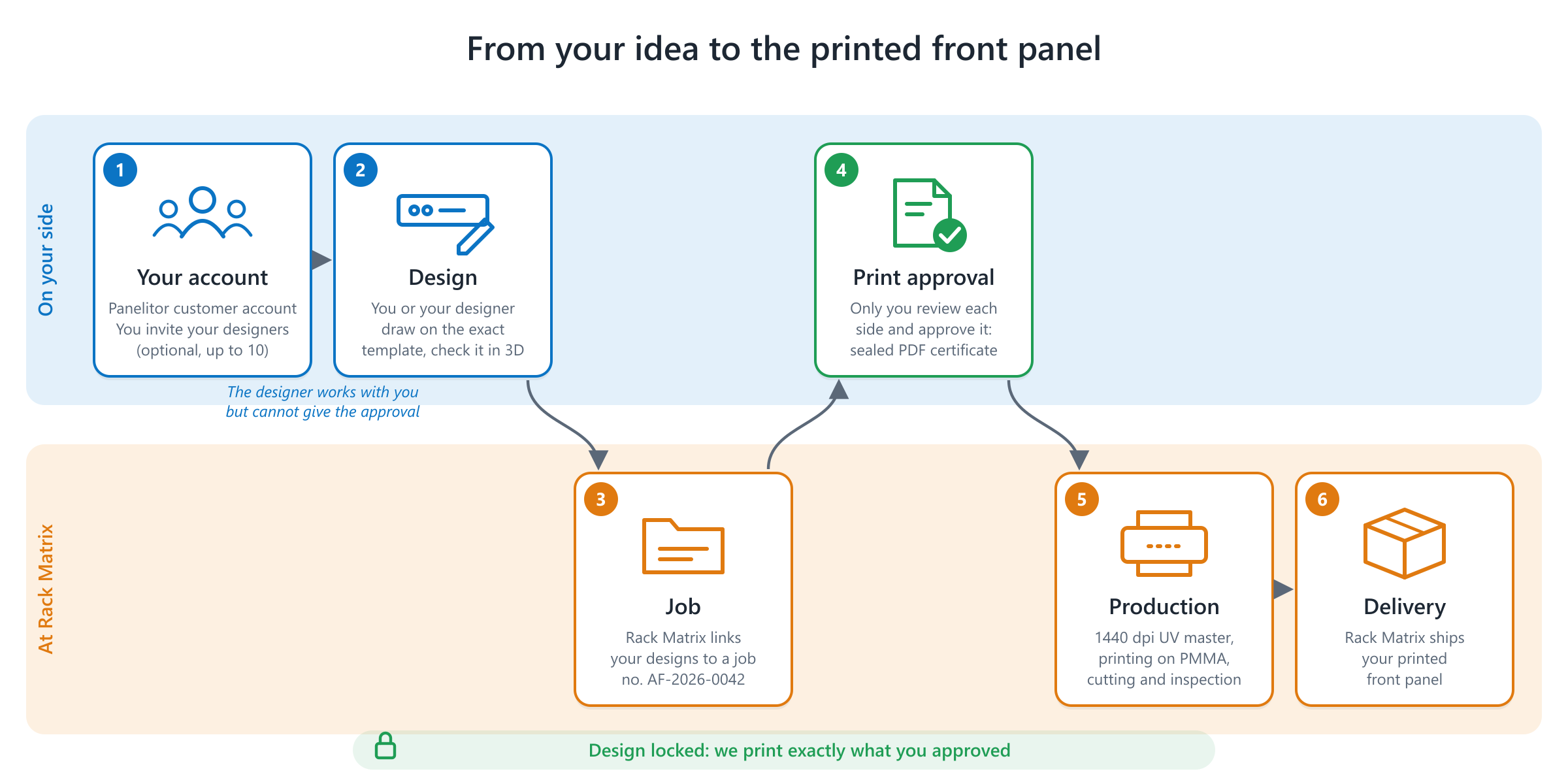
From your idea to the printed front panel. (click to enlarge)
Your panels stay yours
Everything the designer creates belongs to you and stays in your account, even once their assignment is over. The Disable button removes their access at any time, and Enable again gives it back for the next batch.
Try it now
Sign in at panelitor.rack-matrix.com (a free account is enough) and open My designers. The editor's guide walks you through every step. Your feedback is welcome.